Challenge
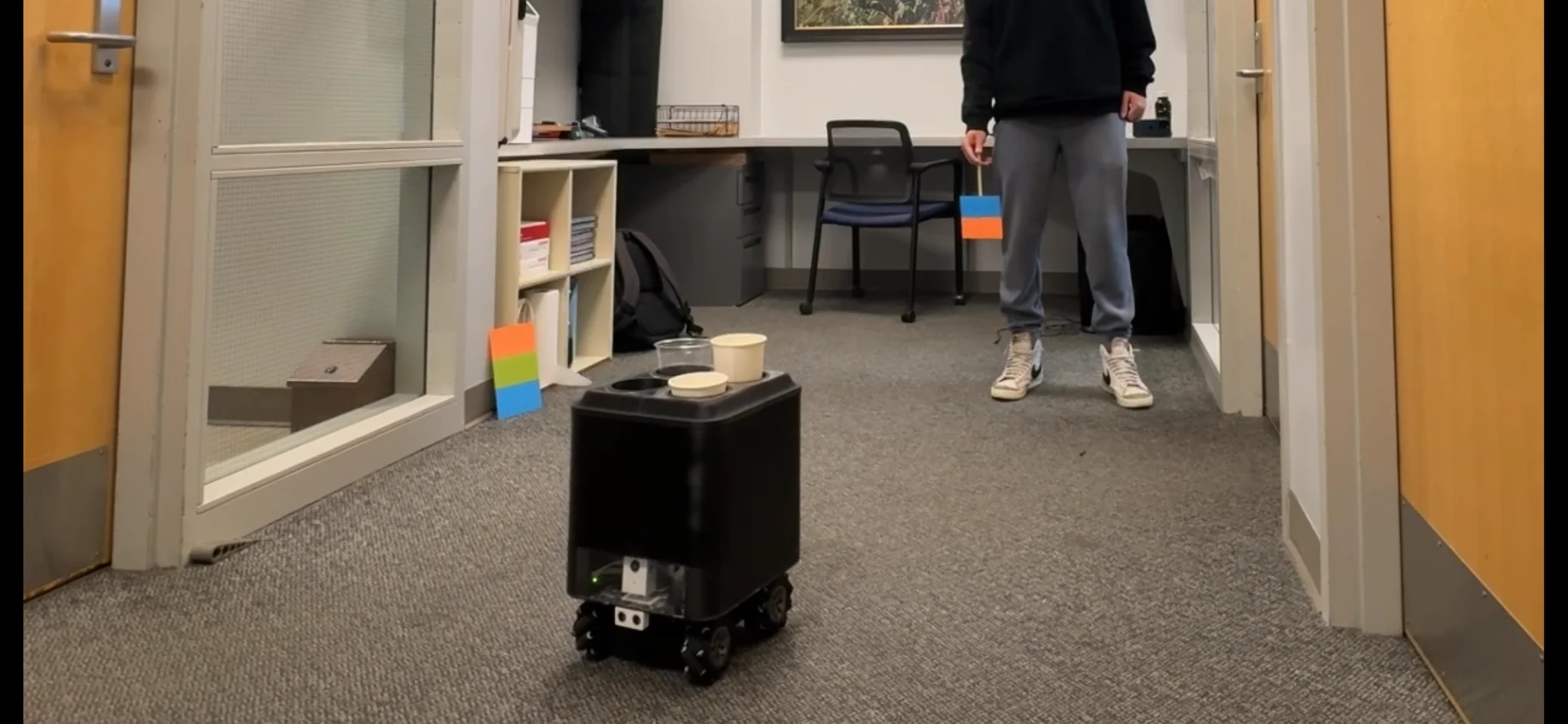
For our Engineering Projects course, our team wanted to build a robot that could bring cafe orders to students while they studied. We built a prototype with four cupholders and used colored targets to mark the delivery stations and a home station.
To make that work, we needed the robot to find each station, respond to obstacles, and hold different cup sizes. We tested with empty cups, so we still needed to test whether it could carry filled drinks.
My contribution
There were five people on the team. I led the programming, electronics setup, and wiring, along with much of the mechanical design, fabrication, and testing. My work included:
- Connecting two Arduino Uno R3 boards, a Pixy camera, two dual-channel H-bridge motor drivers, and an ultrasonic sensor.
- Designing the camera mount, ultrasonic sensor housing, printed chassis corners, and adjustable cupholders in SolidWorks.
- Assembling the main frame and programming the robot to search for targets, line up with them, approach, move diagonally, and respond to obstacles.
My teammates laser-cut the top and base panels, helped assemble the enclosure, and worked on its appearance. They also designed and printed the bevel at the top of the cupholder assembly to blend the vertical walls into the flat top surface. We worked out the panel dimensions together so they would fit the printed corners and cupholder layout.
How a delivery worked
We used four different two-color targets for deliveries and a fifth for the home station. The robot searched for each delivery target in order, lined it up with the center of the camera frame, and drove toward it. I used the target’s area within the camera frame to control how close the robot got during a delivery. The ultrasonic sensor served as a separate failsafe, adding redundancy to help prevent a collision if the camera’s area reading failed.
At each station, it paused for about three to five seconds before looking for the next target. It was programmed to visit all four stations, return home, and wait until someone pressed the reset button underneath it. It did not detect when someone took a cup or show which cup was theirs.
One Arduino received the camera data and controlled all four motors, while the second monitored the ultrasonic sensor. If it detected an object closer than the safe distance, the second Arduino immediately signaled the other Arduino to stop the robot. The robot waited for the object to move before continuing. If it was still there after three seconds, the robot backed up and resumed searching for its next target.
Design decisions
Distinguishing targets from the surroundings
During an early classroom demonstration, the camera mistook a student’s shirt for one of our single-color targets. I changed the targets to combinations of two colors that were less common in the room so the camera could tell them apart from other objects. The two-color codes also helped us reliably detect targets from farther away, although lighting and reflections could still cause problems.
Measuring and correcting uneven wheel speeds
The robot did not always move in the direction I expected from the target’s position. When it turned during forward-and-reverse tests, I started comparing the speed of each wheel to understand why.
I put a thin strip of blue tape on each wheel so I could track its rotations. I wrote a test that sent the same power command to both right wheels at the same time, then recorded them with my phone. From the recordings, I timed how long each wheel took to complete a set number of revolutions. I ignored the first two rotations to give the wheels time to come up to speed.
I used those timings to calculate a correction factor for each motor so the wheels would turn at the same speed. I repeated the test on both the right and left wheel pairs, using the recordings to refine the adjustments.
Once the running speeds were close, I checked how similarly the wheels came up to speed. I ran the adjusted motor commands for a short, fixed amount of time, then used my phone to measure the final angle of each wheel’s tape marker. I kept refining the commands until the markers all finished at the same visual angle.
The robot traveled straighter and returned closer to its starting point more consistently in the forward-and-reverse tests. I had confirmed that the wheel speeds were different, but I had not determined whether that came from the motors or the drivers.
Simplifying the cupholder mechanism
I took inspiration from the adjustable knobs used in car cupholders to hold different cup sizes. My first approach used springs and posts to push the knobs against a cup, but it became too complicated and difficult to make.
I simplified the design by keeping the three printed knobs and replacing the spring-and-post setup with a rubber band wrapped around them. The knobs fit into slots and moved outward when a cup was inserted, while the band pulled them against its sides. I adjusted the knobs and rubber-band tension to make the cup easy to put in and take out while still holding it during movement. Small, medium, and large cafe cups fit the design.
I could work on each cupholder separately, which let me test a change on one before making it on the other three. A laser-cut acrylic top panel kept all four aligned.
Build and testing
I designed the black PLA corners with recesses that matched the thickness of the laser-cut acrylic walls. This helped the panels sit more smoothly against the corners. We used a sheet made from recycled 3D-printing scrap for the base plate.
We tested the robot with empty cups in a carpeted room in the engineering center. Under even lighting, we recorded it visiting all four delivery targets. It sometimes needed extra turns to find the next sign. When a reflection kept the camera from recognizing one, slightly changing the sign’s angle fixed the problem during our tests.
At the final expo, the mix of natural light and reflective surfaces kept the robot from completing a live demonstration, so we showed a recorded run. That made it clear that working in our test room was not enough to know it would work in a cafe.
Outcome
The project earned Best in Automation, CU Robotics Club, Spring 2026, and the judges specifically praised the cupholder design. We had built a robot that could follow a delivery sequence and carry different cup sizes in the conditions we tested.
The cupholders and wheel tests showed me why it helps to question a design early. Simplifying the cupholders made them easier to build, and testing the wheels separately helped me understand a problem I could not explain from the robot’s movement alone. I would spend more time looking for these problems before fabrication on a future project.
For a second version, I would look at improved vision hardware and a Raspberry Pi-based controller. I would also add cup-removal sensing and indicators so someone would know which cup to take.
Build details
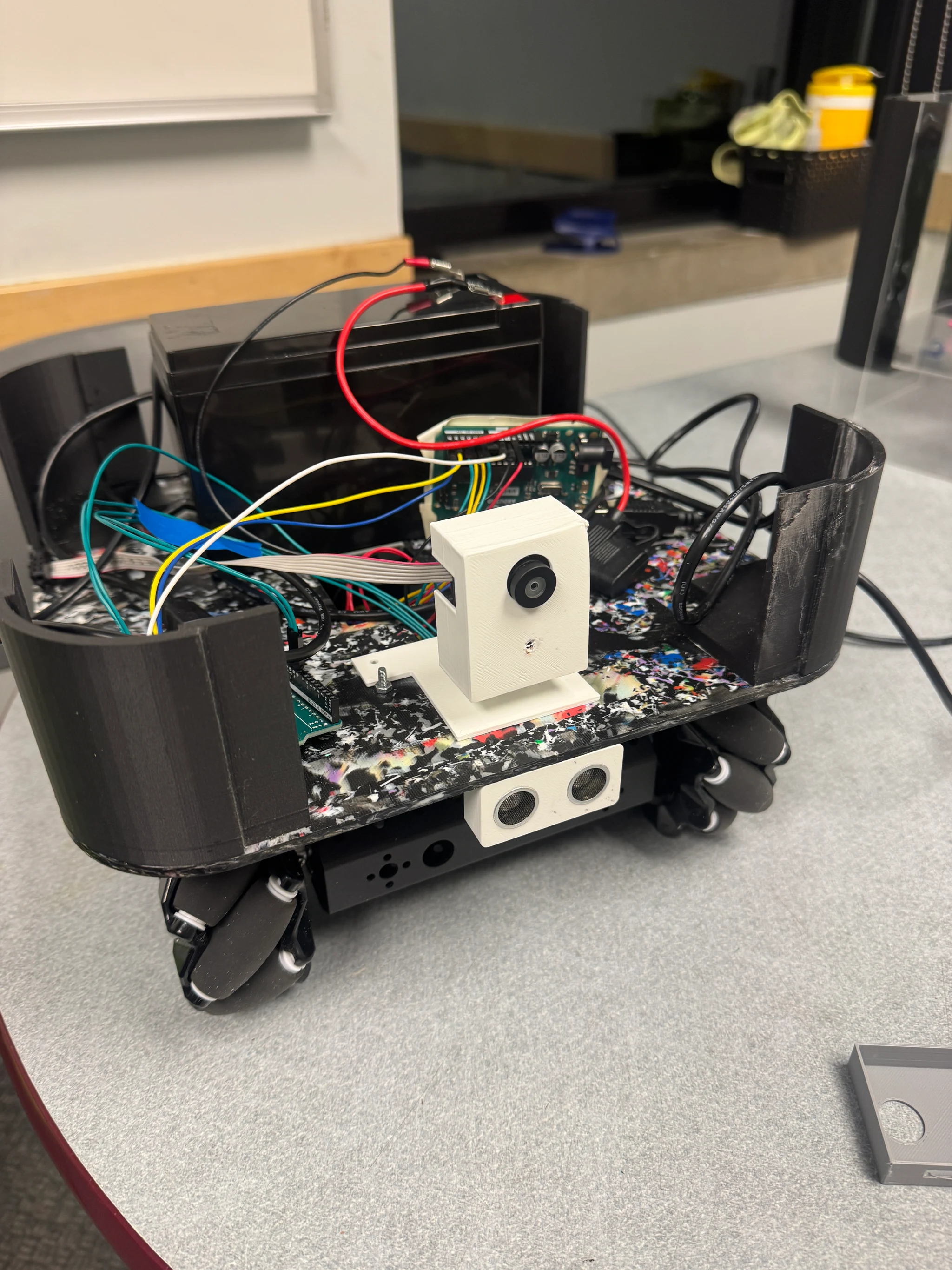
- Vision
Pixy camera in the printed enclosure and mount; supplies target position and apparent area.
- Obstacle sensing
Front ultrasonic sensor; the second Arduino handles obstacle sensing.
- Motion
Omnidirectional wheels driven by motor controllers; individual wheel commands were calibrated.
- Fabricated structure
Printed chassis corners support the enclosure; panels were coordinated with teammates.
Photograph supplied by Ryan Grotke. Select the photo to view the full-size original without annotations.
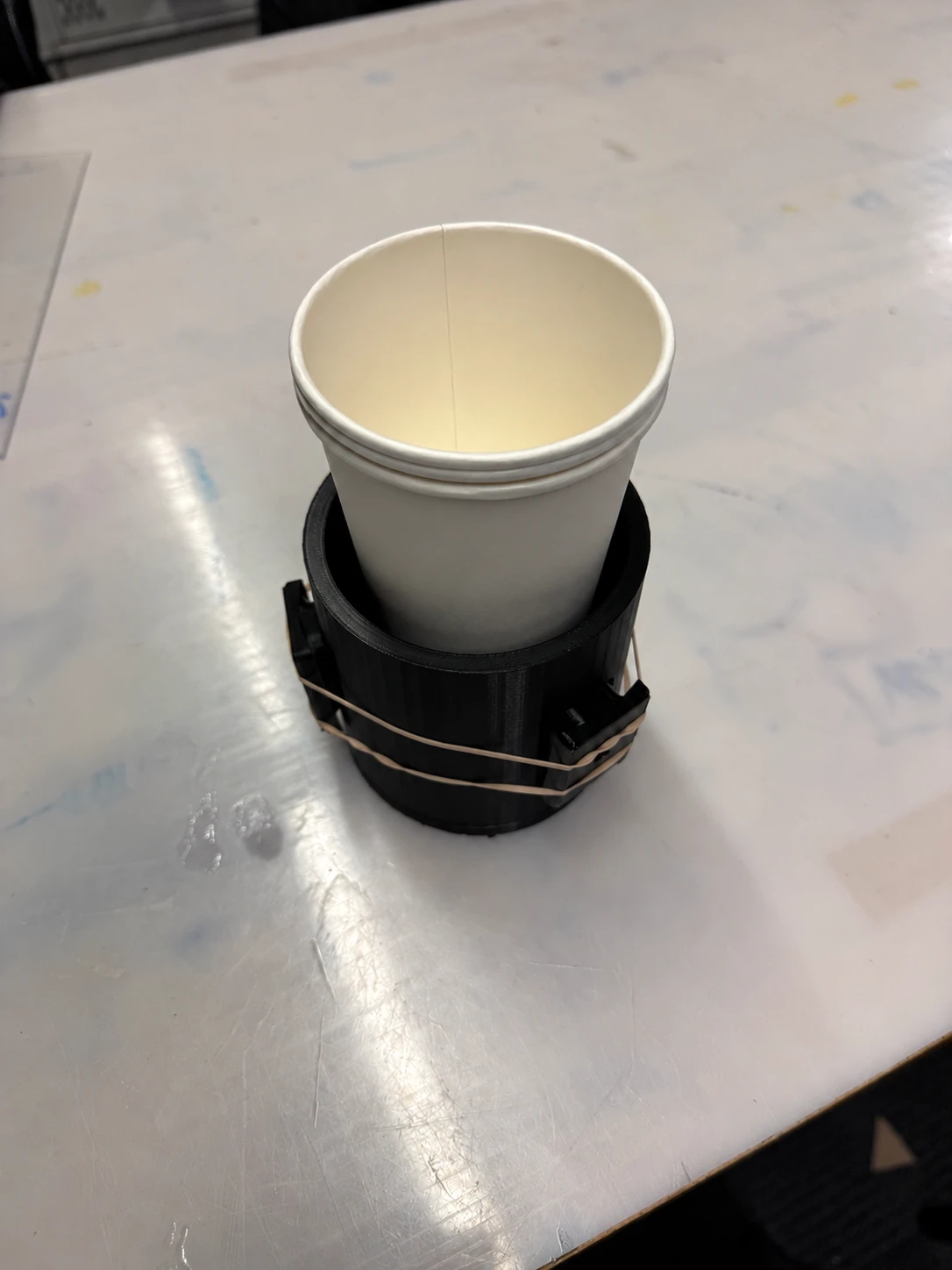
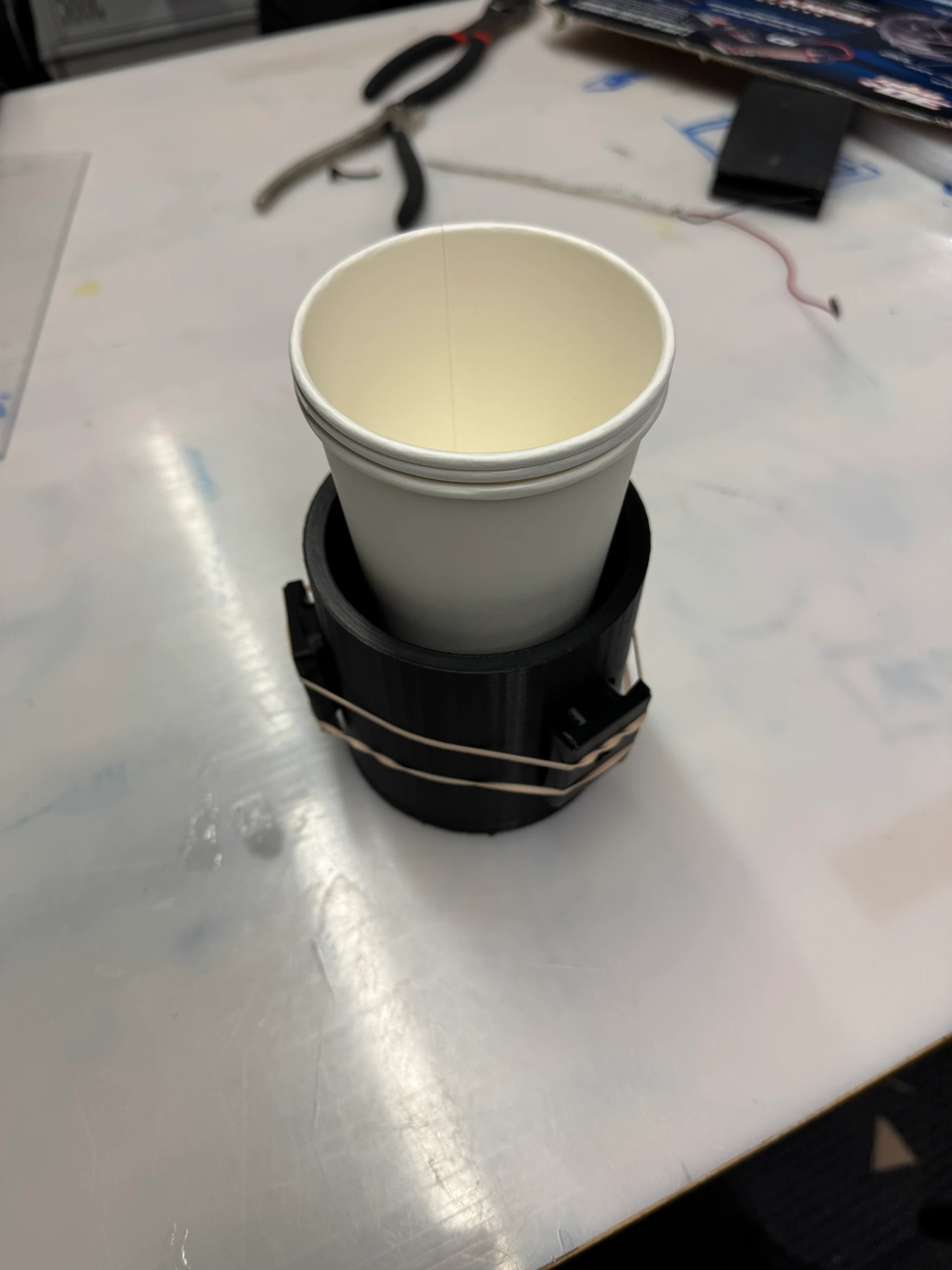
In action
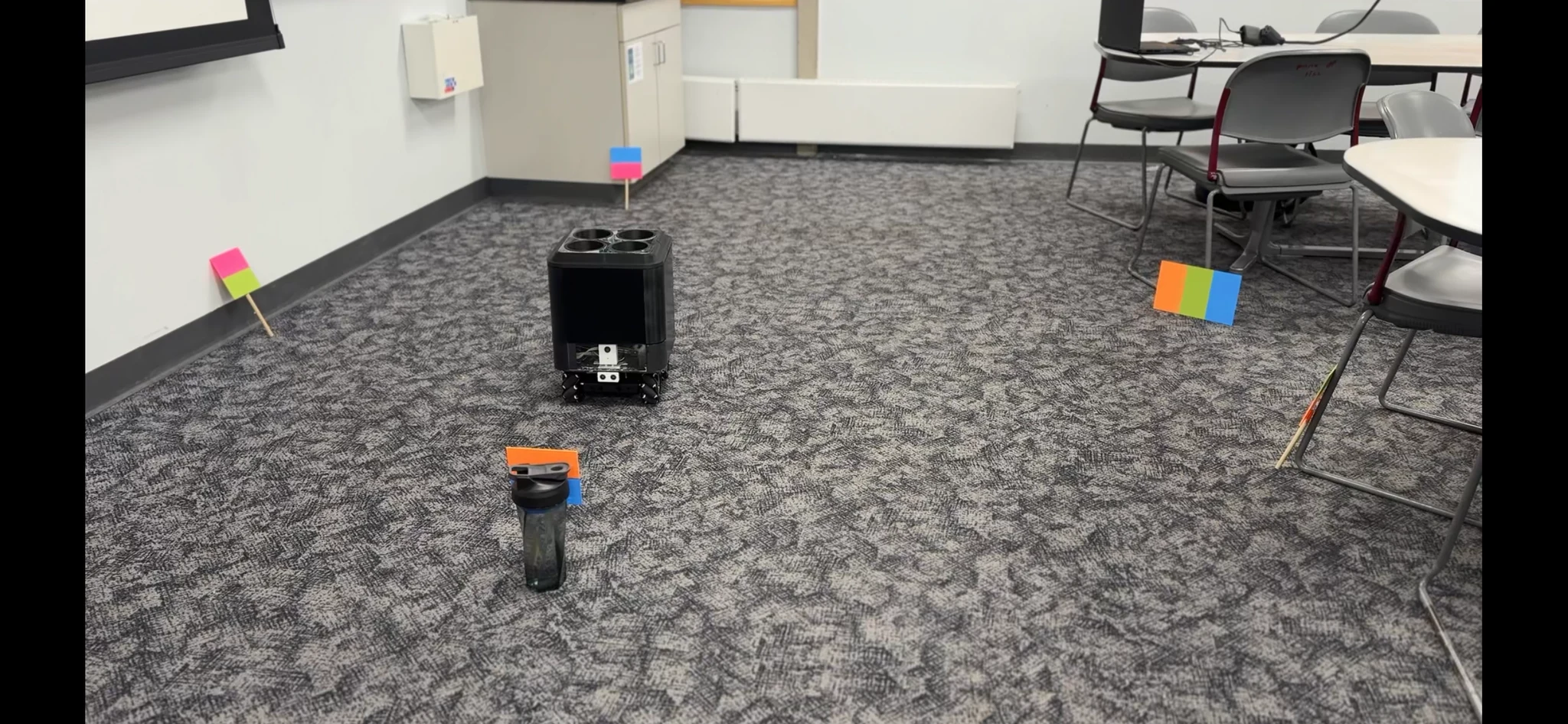
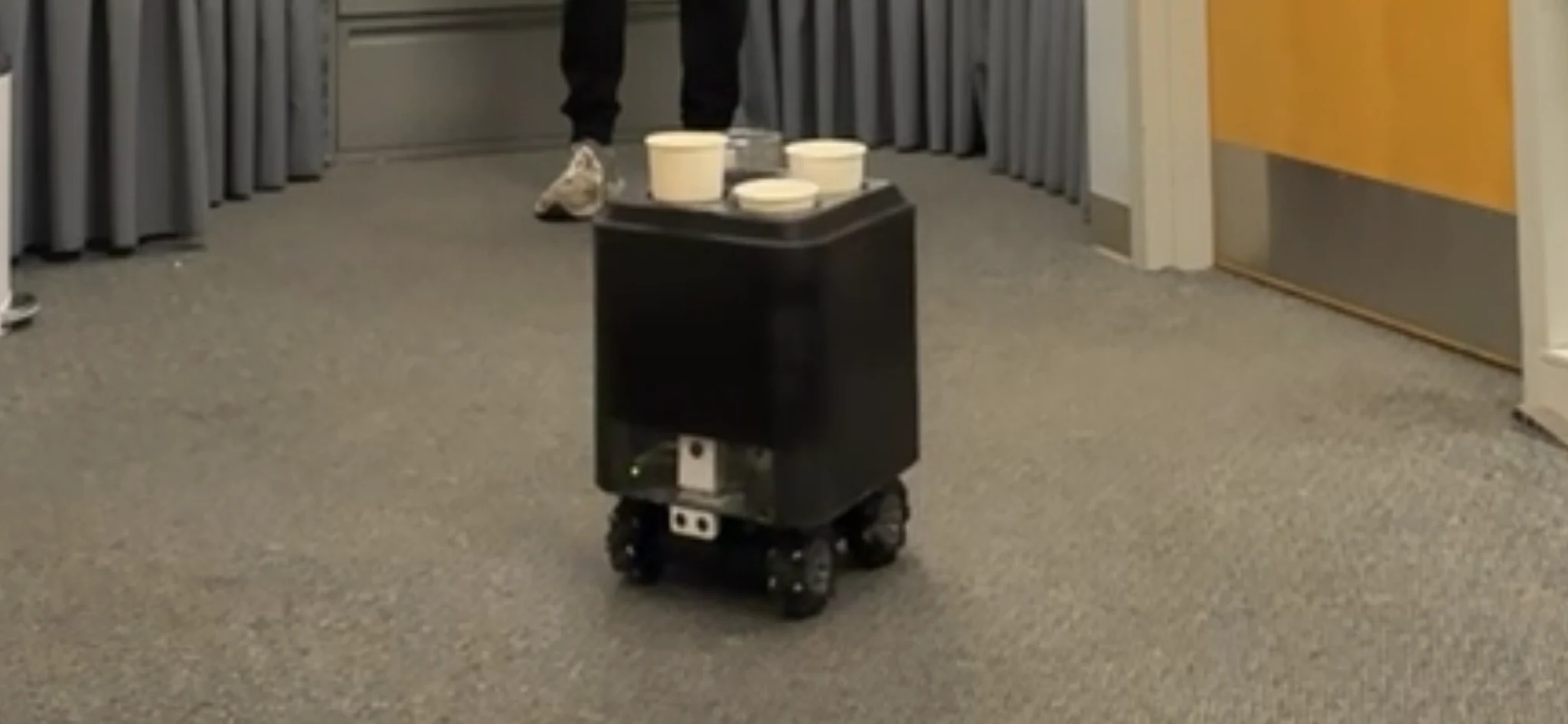
Images supplied by Ryan Grotke. Select an image to view it full size.